For architecture & interior design studios in India
Every drawing, version and client in one place.
ArchitectHub is project software for design studios. Share the right drawing with clients, keep every version, and see who changed what — without WhatsApp groups and scattered Drive folders.
7-day free trial · up to 3 users · no card · billing in ₹
01 — The problem
Projects shouldn't live in WhatsApp groups.
Most studios run projects across chat groups, Google Drive and Excel. It works until it doesn't.
-
01
Drawings buried in chats
The latest plan is somewhere in a group, a Drive folder or someone's laptop.
-
02
The wrong version goes to site
Two files called “final”, and the older one gets printed.
-
03
Clients ask for files again
“Can you resend the elevation?” — for the third time this week.
-
04
Nobody knows who changed what
When something goes wrong, there is no record to check.
02 — How it works
One workspace per client.
-
Add a client
Create the client and their project workspaces. Assign the team that works on them.
-
Upload drawings
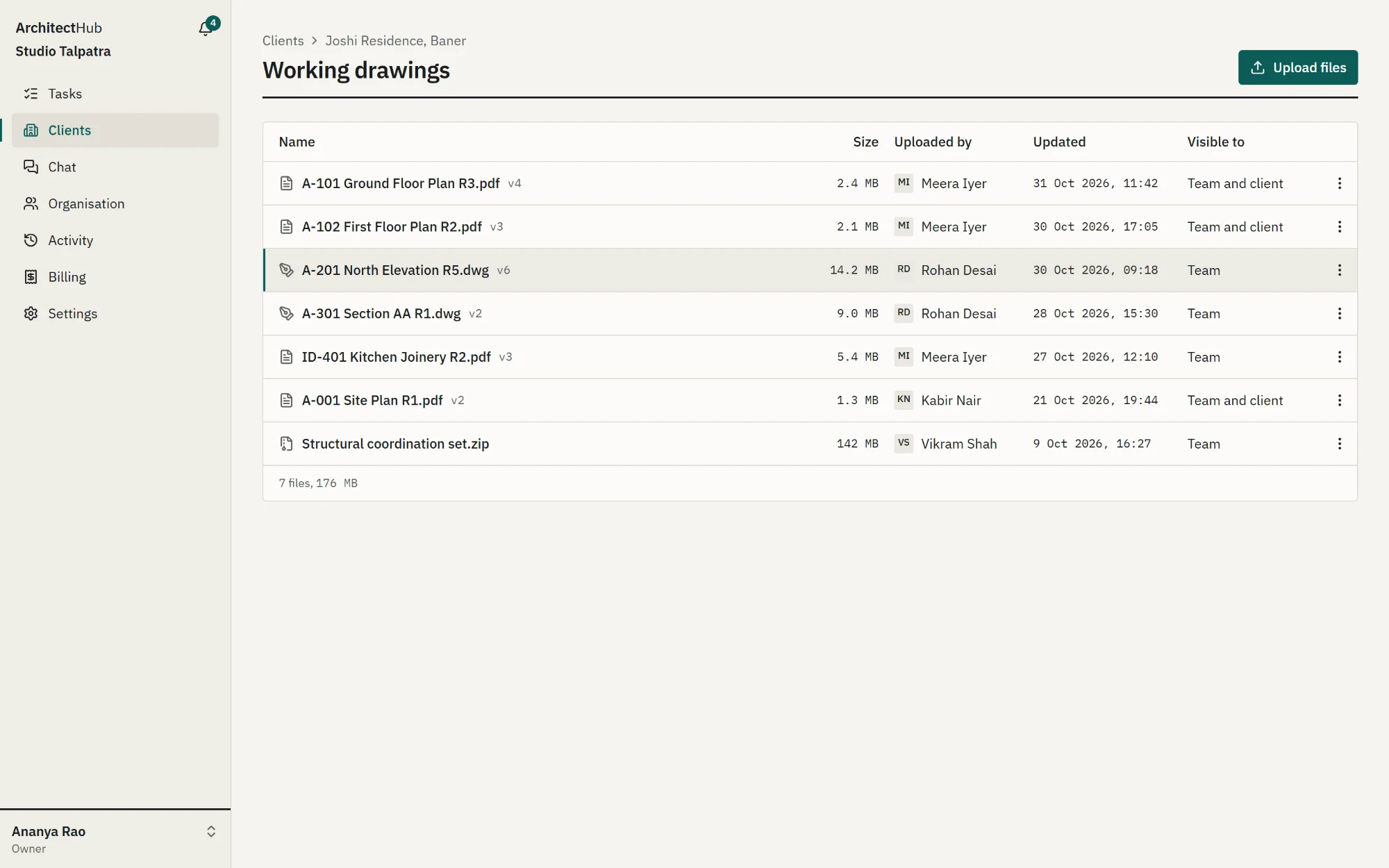
Every re-upload becomes a new version. Choose what stays with the team and what the client can see.
-
Share one link
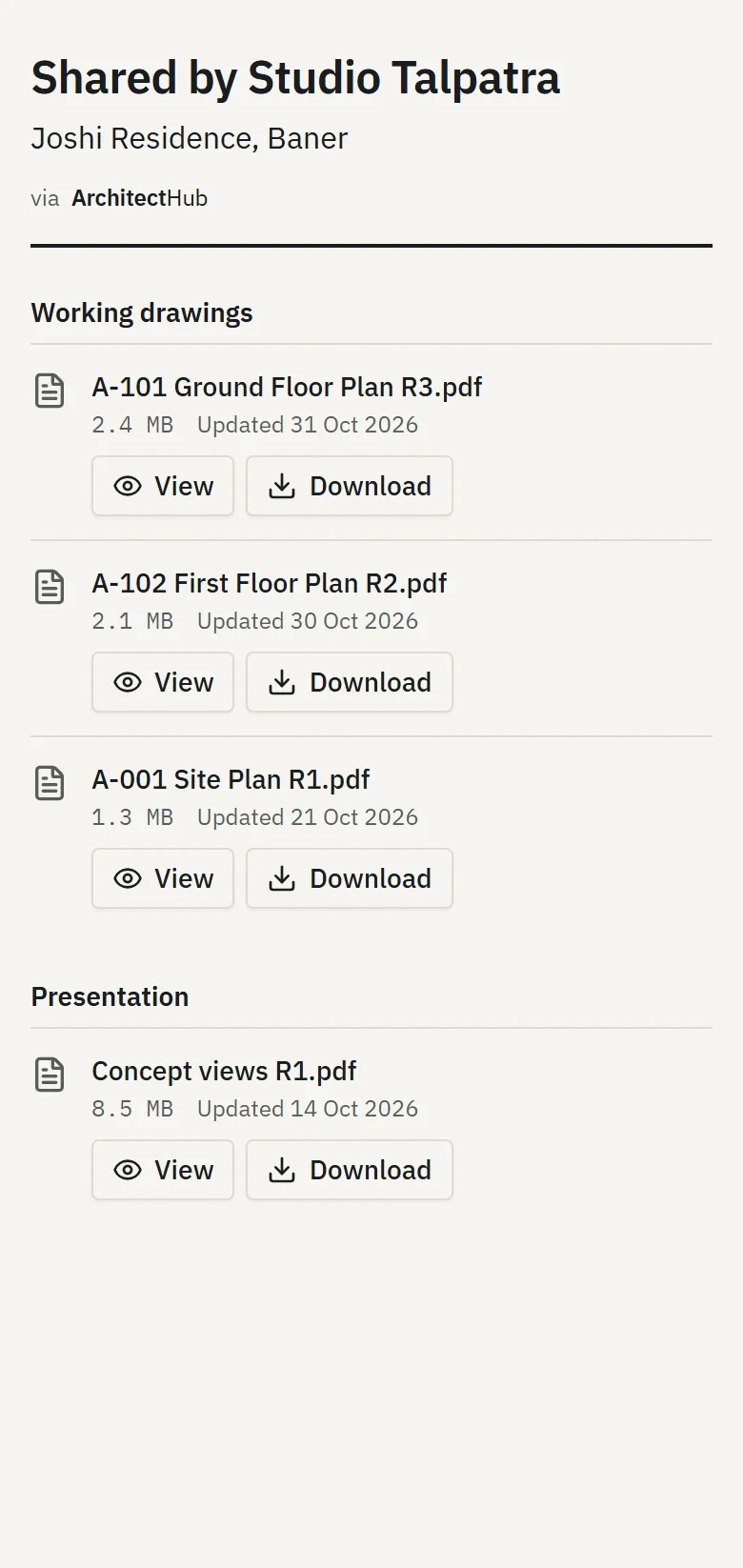
Send the client their link once. They always see the current drawings, without an account.
03 — Features
Built for how studios actually work.
Drawing version control, without the confusion.
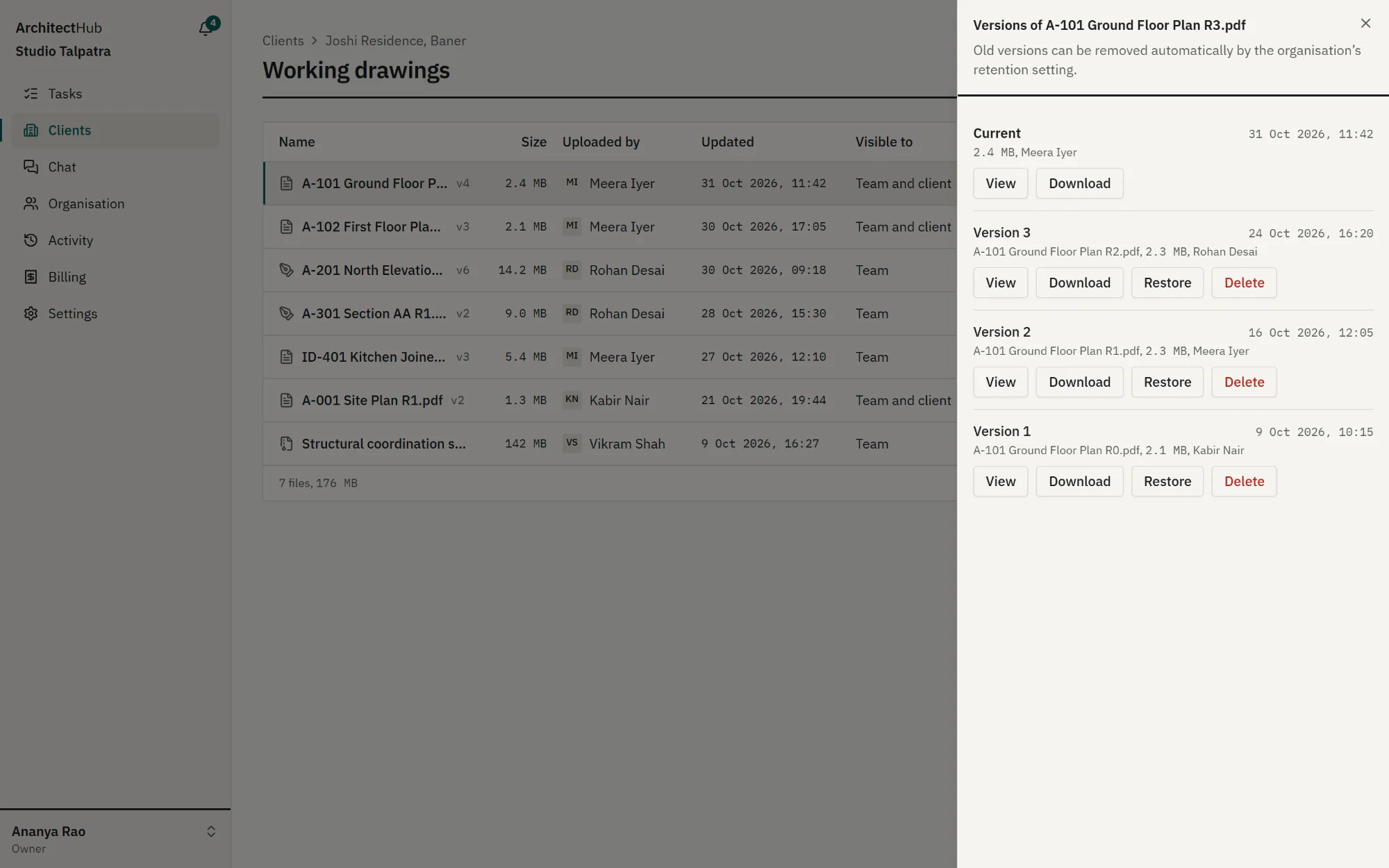
Re-upload a drawing and the old one becomes a version, not a lost file. Mark files team-only or client-visible, upload straight from your phone, and decide how long old versions are kept.
- Full version history, with restore
- Keep 1–100 old versions, or all of them
- New uploads start hidden from clients
One link per client. No more “please resend”.
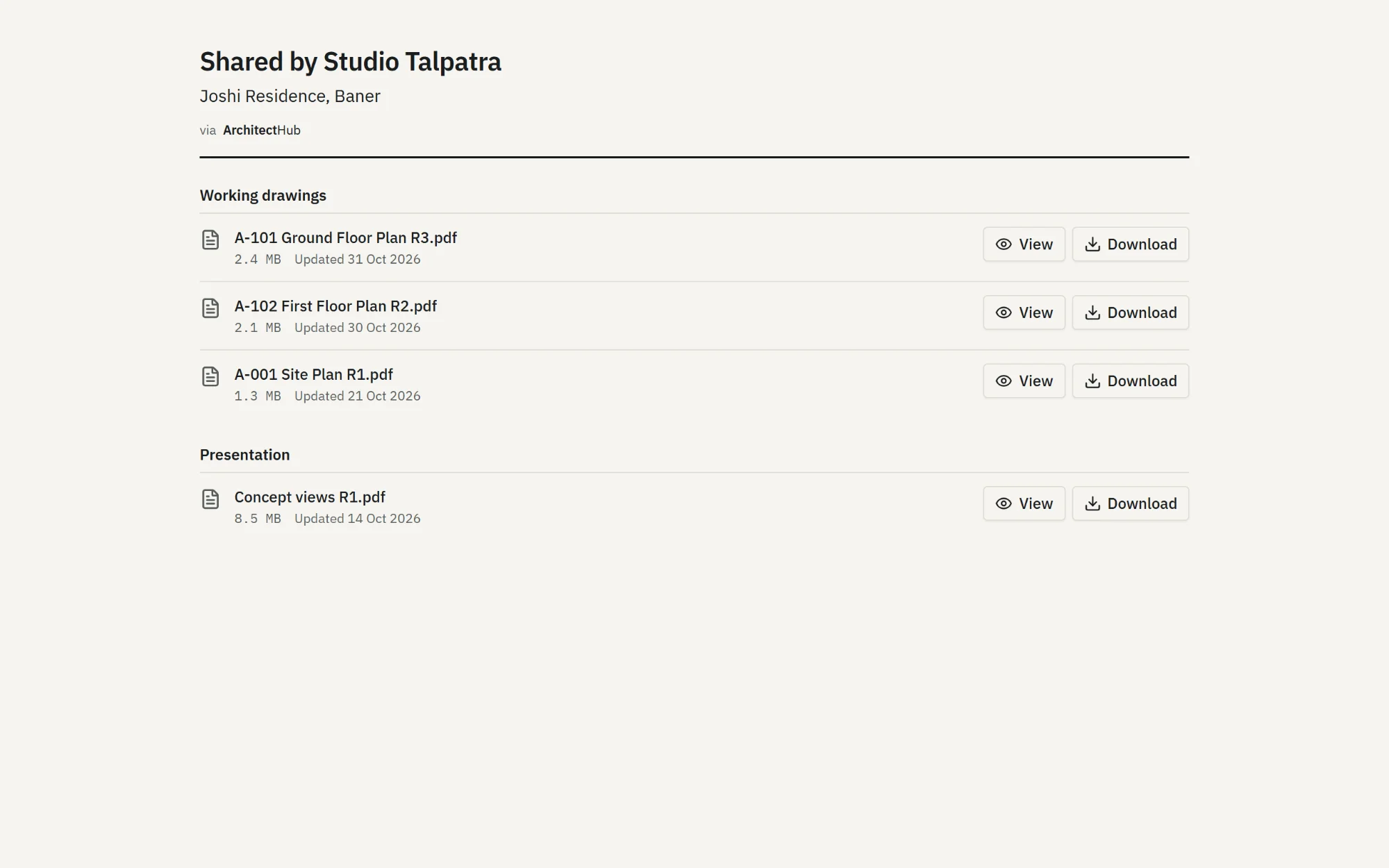
Each client gets a private link to view and download the drawings you've shared with them. No account, no app to install. Revoke or regenerate the link whenever you like.
- Shows only client-visible files
- Views and downloads are logged
-
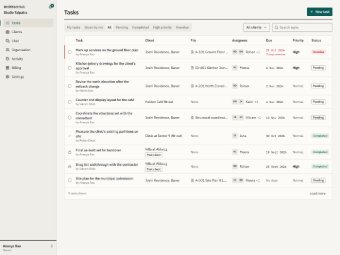
Tasks
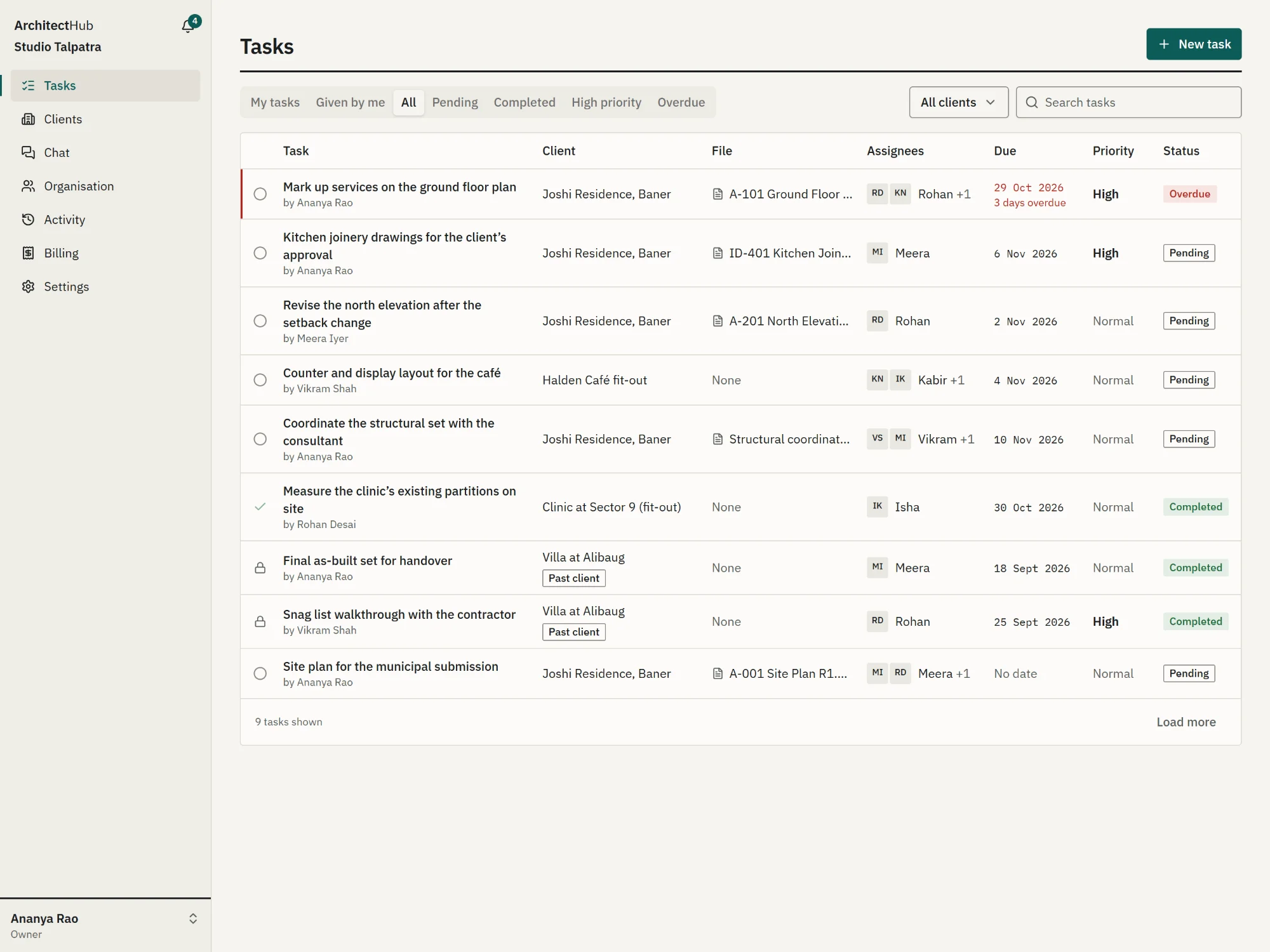
Assignees, due dates and a high-priority flag, with in-app reminders the day before and when overdue.
-
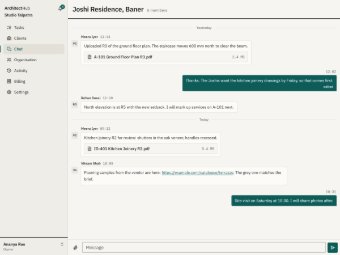
Client chat
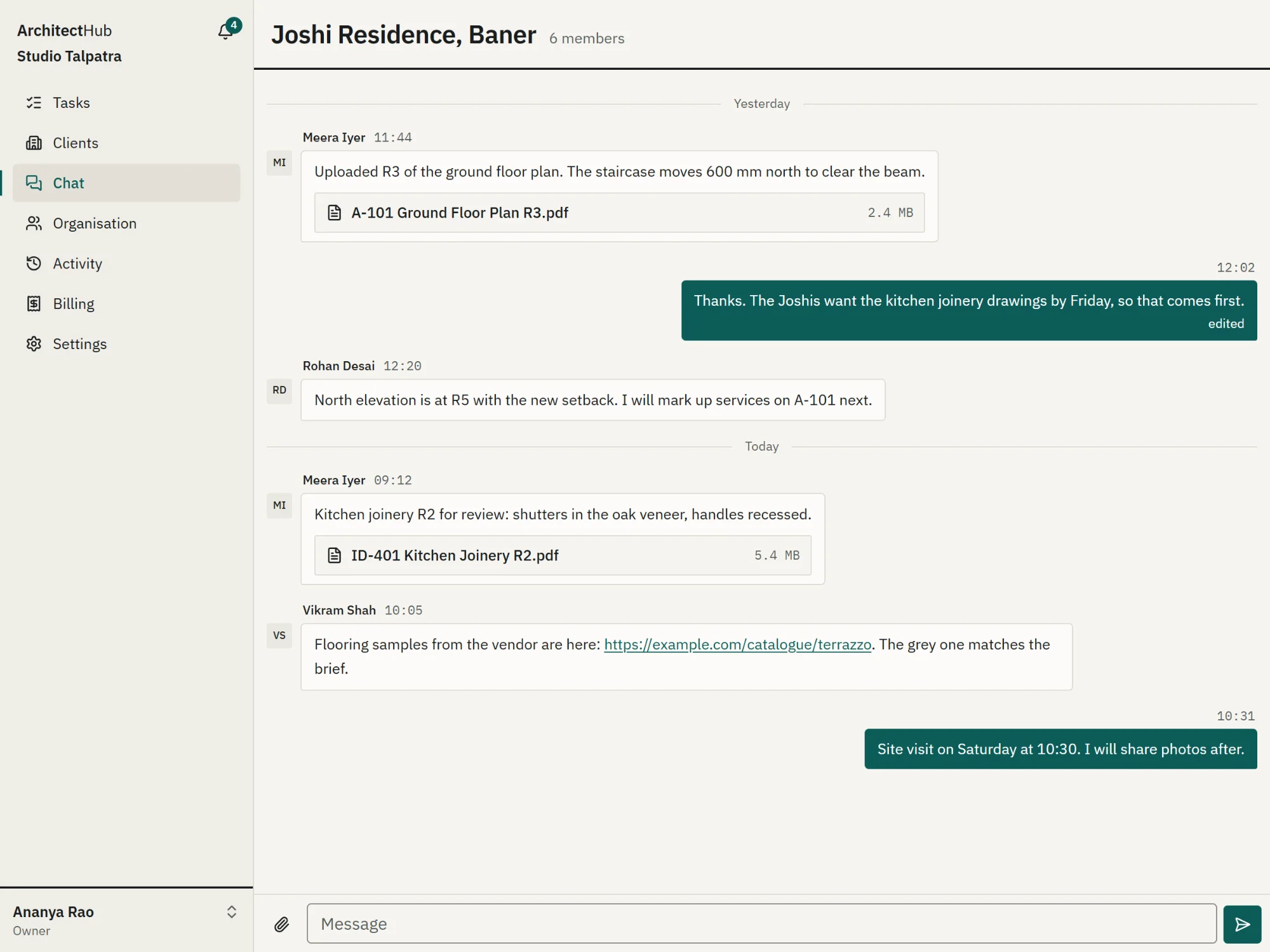
A thread for each client, with the client's files attached right in the conversation.
-
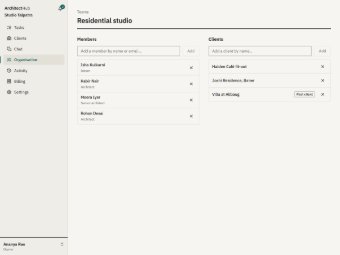
Roles and teams
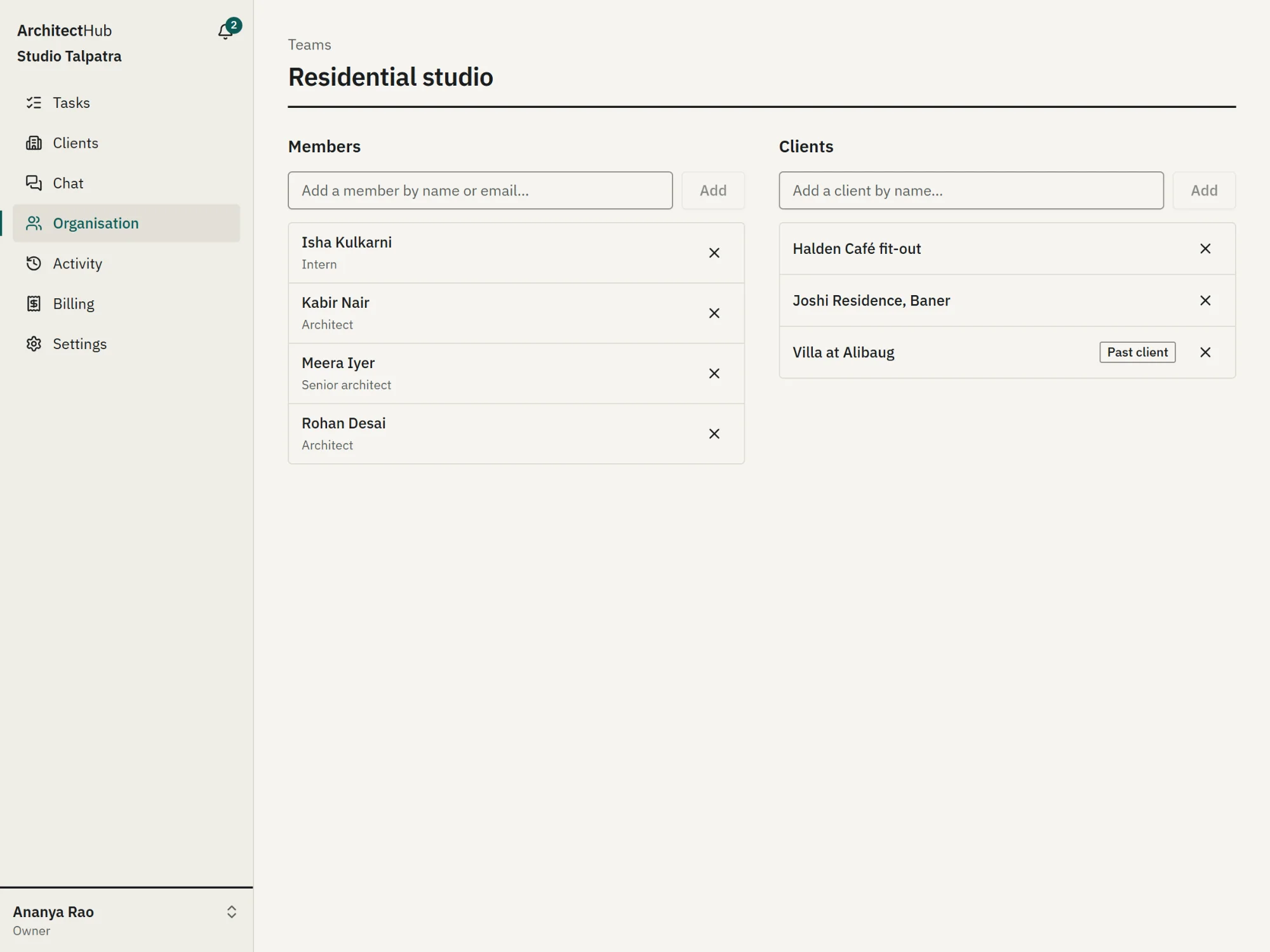
Owner, manager, senior architect, architect and intern. Teams decide who sees which clients.
-
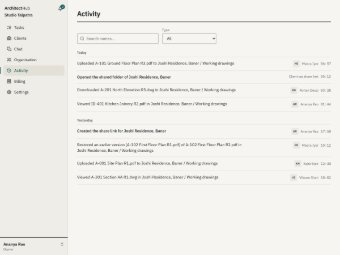
Activity log
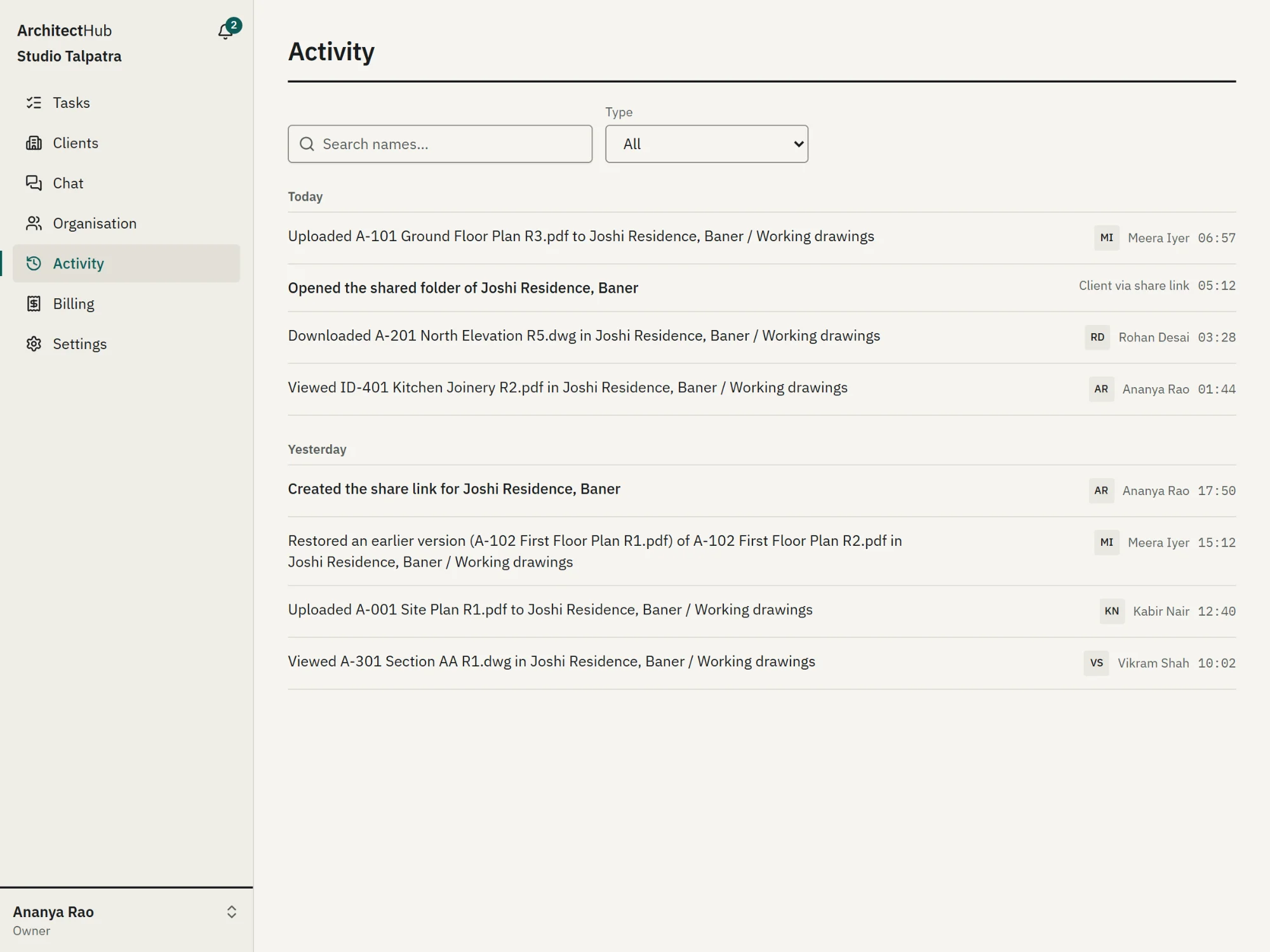
Who uploaded, changed, viewed, downloaded or shared what, and when.
- Installable on phones
- Dark mode
- WhatsApp number verification
- Five roles: owner to intern
04 — Who it's for
From 3-person studios to 50-person practices.
-
Architecture practices
Drawing sets that change weekly, consultants, site teams and clients who all need the right revision.
-
Interior design studios
Many small projects at once, lots of client back-and-forth, and files that must reach site quickly.
-
Design-and-build firms
Design and execution teams on the same projects, with clear access for each.
05 — Pricing
Simple monthly pricing in rupees.
Every plan has every feature. Start with a 7-day free trial for up to 3 users and 5 GB — no card needed.
-
Starter
₹499 / month
- Users included
- 8
- Storage
- 50 GB
- Extra user
- ₹99 / mo
- Extra storage
- ₹5 / GB
-
Growth
₹899 / month
- Users included
- 20
- Storage
- 150 GB
- Extra user
- ₹79 / mo
- Extra storage
- ₹4 / GB
-
Pro
₹1,399 / month
- Users included
- 50
- Storage
- 350 GB
- Extra user
- ₹59 / mo
- Extra storage
- ₹3 / GB
Extras are billed with the next month's bill, based on that month's peak. Payments through Razorpay.
06 — Questions
Questions studios ask.
How does the free trial work?
Request a trial and we set up your studio's account with you. The trial lasts 7 days and includes up to 3 users and 5 GB. No card is needed. To continue, choose Starter, Growth or Pro and pay the monthly bill in your account.
Do my clients need an account to see drawings?
No. Each client gets one private link. They can view and download only the files you have marked client-visible, and you can revoke or regenerate the link at any time.
Can I control which team members see which clients?
Yes. Clients are assigned to teams, and team members only see their team's clients. Owners and managers see everything. There are five roles, from owner to intern, each with its own permissions.
How are old file versions handled?
Every re-upload keeps the previous file as a version you can restore. Owners and managers choose how many old versions to keep (1 to 100, or all) and whether they expire after 1, 7, 15 or 30 days.
Can I use it on my phone?
Yes. ArchitectHub works in your phone's browser, can be installed like an app, and lets you upload files straight from your phone.
How do I pay?
Plans are monthly and priced in rupees. You pay each bill in your account through Razorpay. There are no yearly contracts.
Is my studio's data safe?
Files are stored privately and opened only through short-lived links. Access follows roles and teams, and the activity log records who viewed, downloaded or changed what.
Who builds ArchitectHub?
ArchitectHub is built by Panav Agarwal, a software developer based in India. Read more on the About page.
Move your next project out of WhatsApp.
Tell us about your studio and we'll set up your account with you.
Request free trial